
Invisible on the air: a signer nobody can scan for
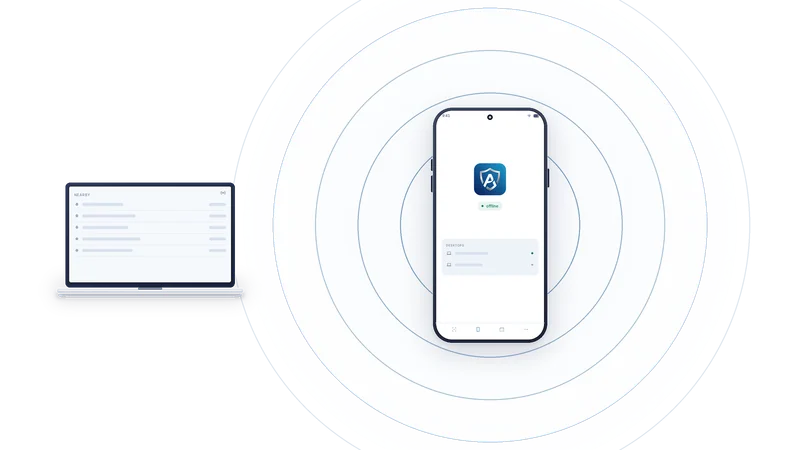
A radio that announces "wallet here" would undo half the point of an offline signer. So a phone running AirNox Vault does not announce itself.
On this page
The problem with radios
Bluetooth makes the desk convenient. It also makes the phone a thing that talks. A device that advertises a name like "Wallet" with a fixed address is a device that can be found, recognised, followed from one day to the next, and singled out as worth attacking. Scanning for Bluetooth devices takes a phone and a free app. Malware on the desktop can do it too.
We wanted the convenience without the beacon. The design has three parts: when the phone is on the air at all, what it says when it is, and who can make sense of it.
Nothing on the air unless you open the app
The phone advertises only while AirNox Vault is open, unlocked and in front. Lock the phone and it goes silent. Switch to another app and it goes silent. Put it face down in a drawer and nothing is transmitted. There is no background service keeping a channel warm.
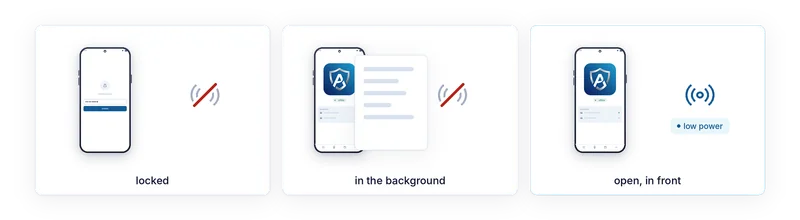
While it does advertise, it does so at low transmit power. Its reach is the desk. That is a deliberate choice about who can hear it, not a substitute for encryption.
What it says when it talks
Three things make the advertisement useless to a stranger.
It carries no device name. Nothing on the air says AirNox, wallet, or anything else.
It uses a random Bluetooth address that the system regenerates each time. There is no fixed address to write down and look for again tomorrow.
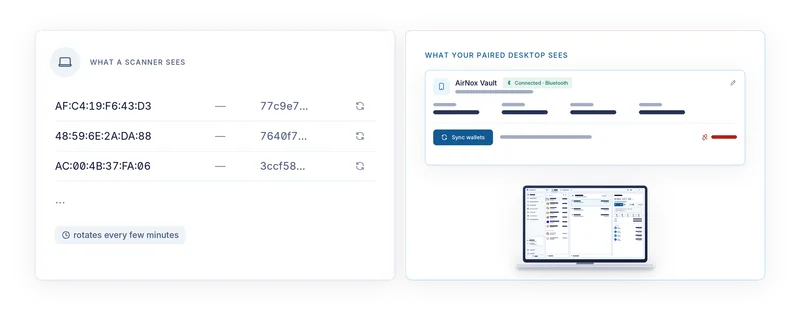
And the service identifier it announces is computed rather than fixed. It is derived from the pairing the phone shares with your desktop and the current time window, so it changes every few minutes, and only a desktop that holds that pairing can work out what the current value is. To everyone else it is a random-looking number that will be a different random-looking number before long.
What a scanner sees
A scanner in the next room sees a nameless random address with an identifier that looks random. A few minutes on, it sees a different address with a different identifier. Nothing links the two. Nothing marks the device as a wallet rather than any of the other nameless things that use Bluetooth. There is nothing to remember for next time.
What malware on the desktop sees
The desktop we assume is infected does not get a better view. Malware on it has no name to search for, no fixed address to remember, and nothing to find until you bring the app to the front. The wallet software knows how to recognise the phone because it was there at pairing. Malware that steals that software's configuration still has to wait for you to open the app, within reach, and then faces the session, which the next article covers.
Why finding the phone buys nothing anyway
Suppose an attacker does spot the phone while you are using it. Finding it gains nothing on its own. Every request still lands on the phone's screen, decoded from the bytes to be signed, where you read it and press Accept or do not. The radio carries encrypted traffic inside a session that was authenticated at pairing. Being close enough to hear it is not being able to join it.
Invisibility is the first layer. Its job is to make sure that most of the time there is nothing to attack, and that when there is, it looks like nothing in particular.
The whole series
- Assume the computer is compromised
- Mass Adoption Security: the signer is a phone you already own
- Three ways across the gap: QR codes, Bluetooth LE and NFC
- Invisible on the air: a signer nobody can scan for
- The transport is never trusted
- What the phone shows you: transaction analysis on the signer
- The phone keeps its own record
- The vault on your desktop: Argon2id and a profile that resists guessing
- dApps without a browser wallet
- An MCP server with rules: AI agents under limits
- One protected wallet for all of it
- Small and native: C++, no JavaScript runtime, from a workstation to a Raspberry Pi