Three ways across the gap: QR codes, Bluetooth LE and NFC
An air gap is only useful if you keep using it. Every signature needs a request to cross one way and a signature to cross back, and the carrier for that should fit the moment.
On this page
Why three
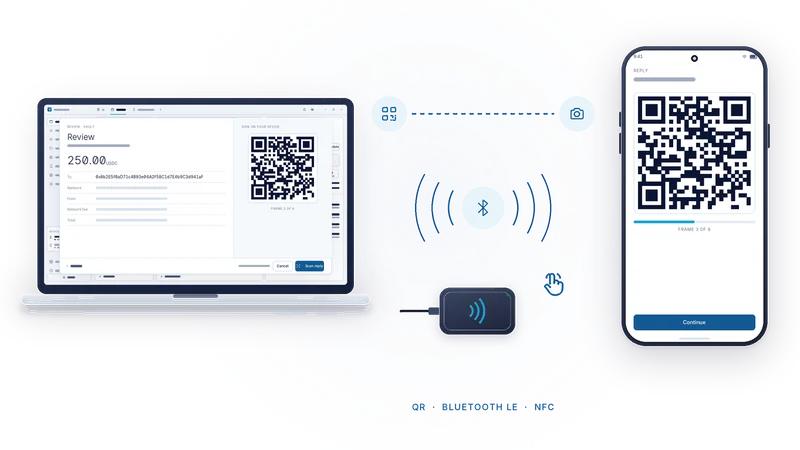
Every air-gapped wallet starts with QR codes, for good reasons. They are optical. You can see them. A camera cannot be talked into sending anything back. The first AirNox signer was QR-only, and it taught us something. Aim the phone at the monitor, wait for the frames, aim the webcam at the phone, wait again. Twice per signature. For one transfer a month that is fine. For a session with an approval, a swap, a deposit and a claim, people start looking for shortcuts, and shortcuts are how the secure path stops being the one people use.
Convenience is not the opposite of security. It is what decides whether people keep using the secure option. So AirNox gives you three carriers and lets you choose.
QR codes
The desktop shows a code and the phone scans it. The phone shows a code and the webcam reads it. Long requests, such as a contract call, play as an animated sequence of codes, and the progress is shown on both screens.
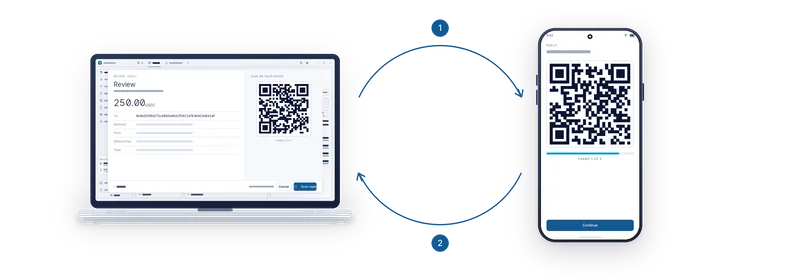
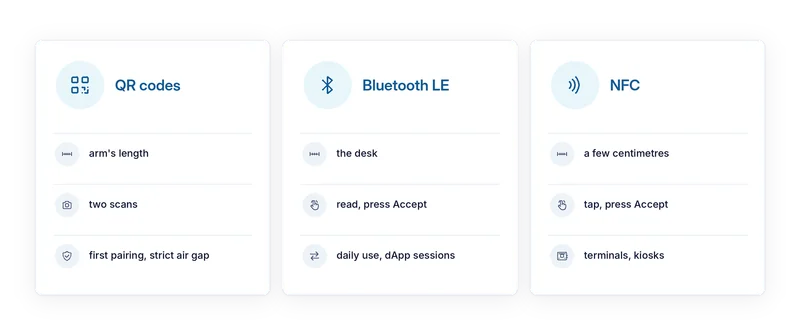
This is the strict air gap. Nothing but light crosses. It is the right choice for the first pairing, for rare large transfers, and for rooms where radios must stay off. It is also always there as a fallback. If you want the purist's version, stay on QR and nothing else in this article applies to you.
Bluetooth Low Energy
This is the carrier for the desk. The phone sits next to the keyboard. A request arrives, you read the phone's screen, you press Accept. After the first pairing there is nothing to aim.
The phone acts as a peripheral and advertises at low transmit power, so its reach is the desk, by design. It never scans for other devices, which is why the app needs no location permission. The low power is about privacy and a smaller surface. It is not what keeps the traffic secret. That is the job of the session, which the next articles cover.
Bluetooth LE is for daily use: dApp sessions, many signatures in a row, anything where the phone stays within reach.
NFC
A tap. The phone touches a small USB reader on the desktop, and the request crosses during the tap. The reach is a few centimetres, by physics. There is no pairing screen for the carrier itself. The gesture states intent the way tapping a card at a terminal does, which makes NFC a natural fit for terminals, kiosks and shared desks, where a deliberate physical action per signature is exactly what you want.
NFC needs the reader. QR codes and Bluetooth LE need nothing beyond the phone and the computer.
One session, three carriers
Whichever carrier you use, the same thing travels over it: an end-to-end encrypted, mutually authenticated session between the desktop and the phone. You pair once, by a QR scan and a short code compared on both screens. After that, the carrier is just a carrier. You can switch between them without pairing again, and the session does not care whether it is riding on light, radio or a tap.
The carrier is not trusted. Bluetooth pairing, NFC proximity and a visible QR code are not authentication. The session is. That separation is what lets us offer convenience without lowering the bar, and it is the subject of the article on why the transport is never trusted.
Choosing
First pairing: QR. Rare, large, careful transfers: QR. Day-to-day work at a desk: Bluetooth LE. A terminal or kiosk where every signature should be a visible, physical act: NFC. A room where radios are not allowed: QR again. The phone and the wallet do not mind. Use what fits.
The whole series
- Assume the computer is compromised
- Mass Adoption Security: the signer is a phone you already own
- Three ways across the gap: QR codes, Bluetooth LE and NFC
- Invisible on the air: a signer nobody can scan for
- The transport is never trusted
- What the phone shows you: transaction analysis on the signer
- The phone keeps its own record
- The vault on your desktop: Argon2id and a profile that resists guessing
- dApps without a browser wallet
- An MCP server with rules: AI agents under limits
- One protected wallet for all of it
- Small and native: C++, no JavaScript runtime, from a workstation to a Raspberry Pi