Gallery

The app, screen by screen

Screens from AirNox Wallet on the desktop. Select one to see it at full size.

Screenshots
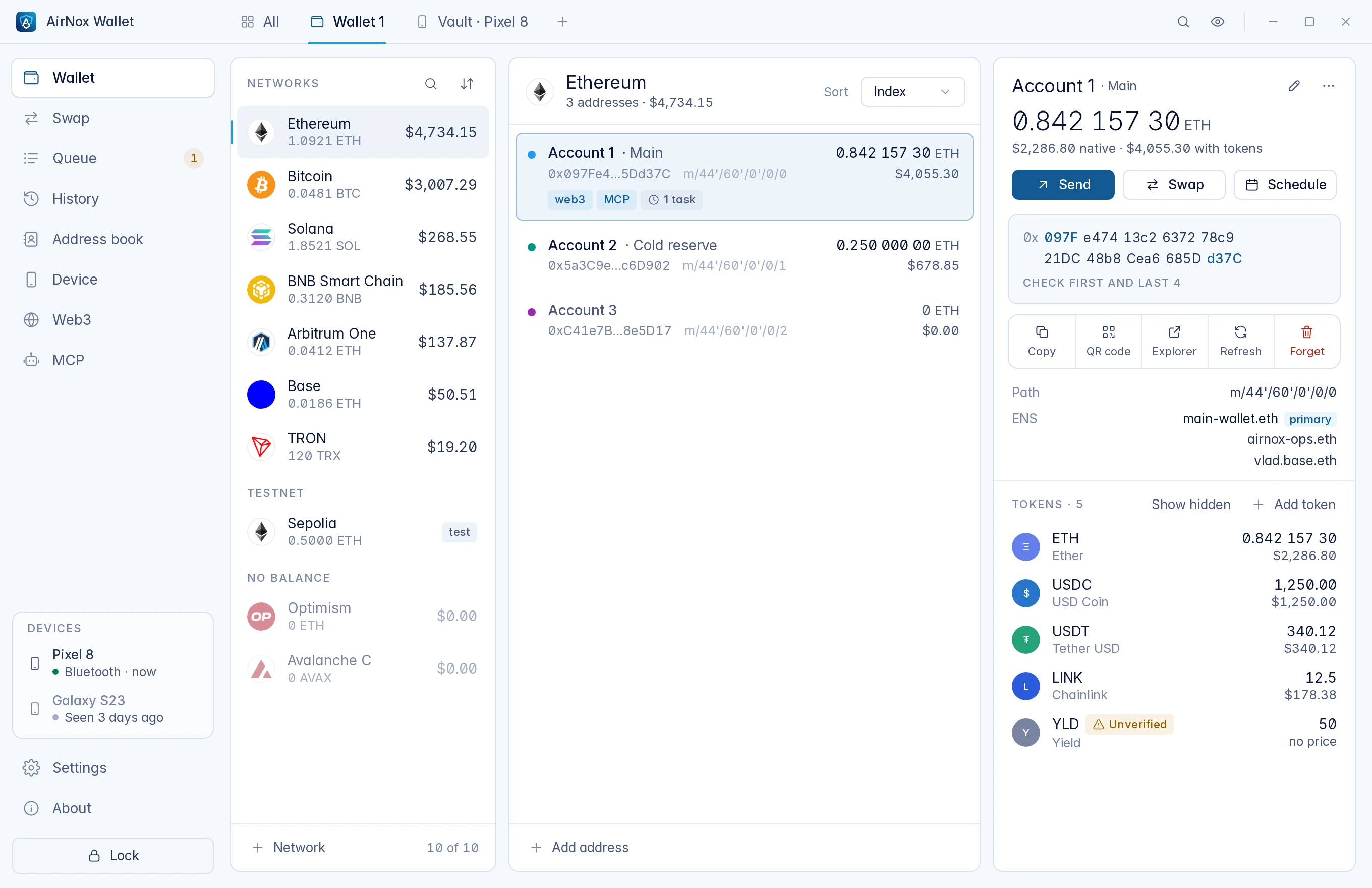
The wallet window: networks with balances, the accounts on Ethereum, and the selected account with its address in groups of four characters and its tokens.
Wallet, networks and tokens
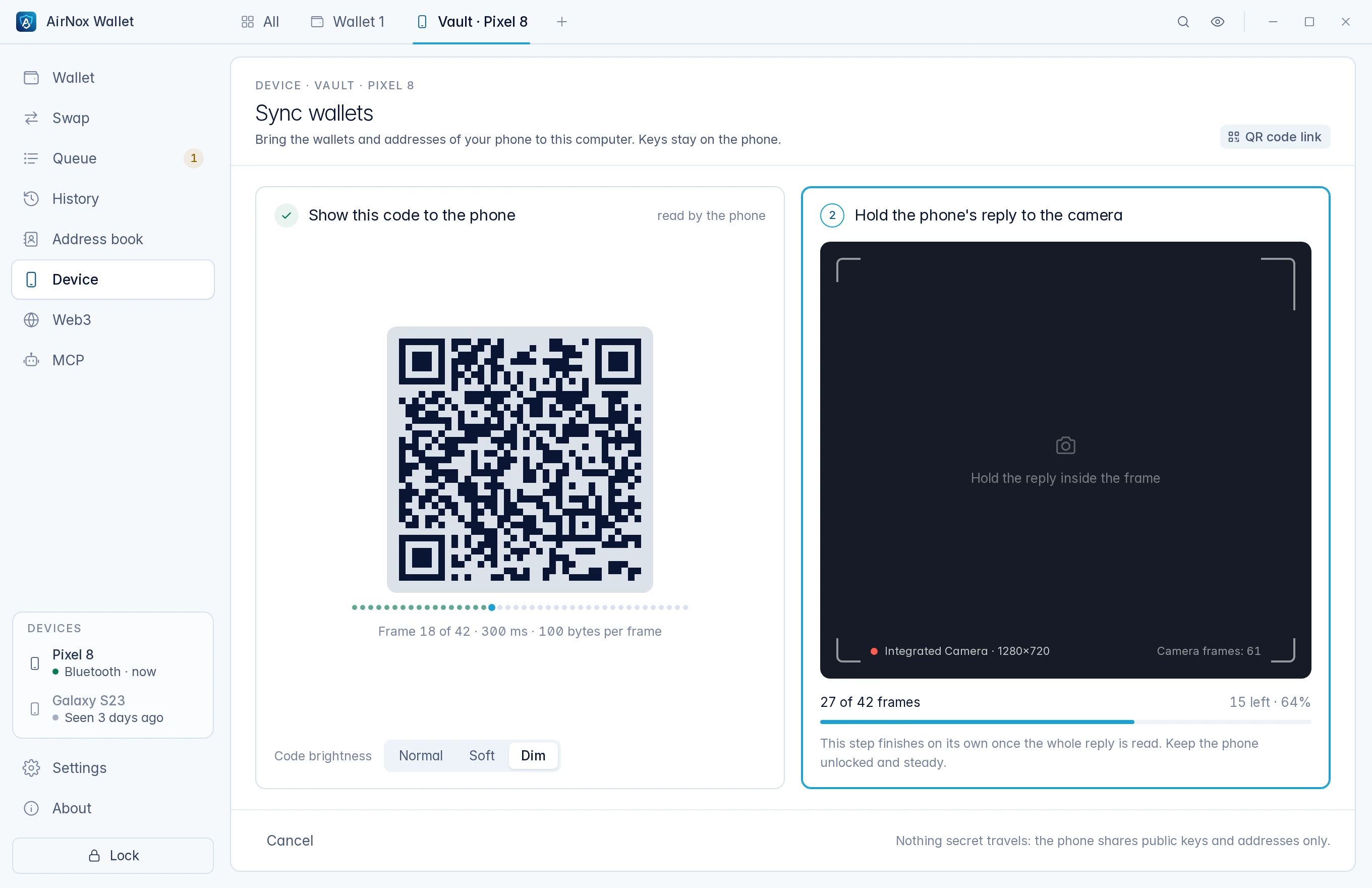
Syncing wallets with the phone: a QR code for the phone on the left, the camera view for the phone's reply on the right.
Syncing wallets over QR codes
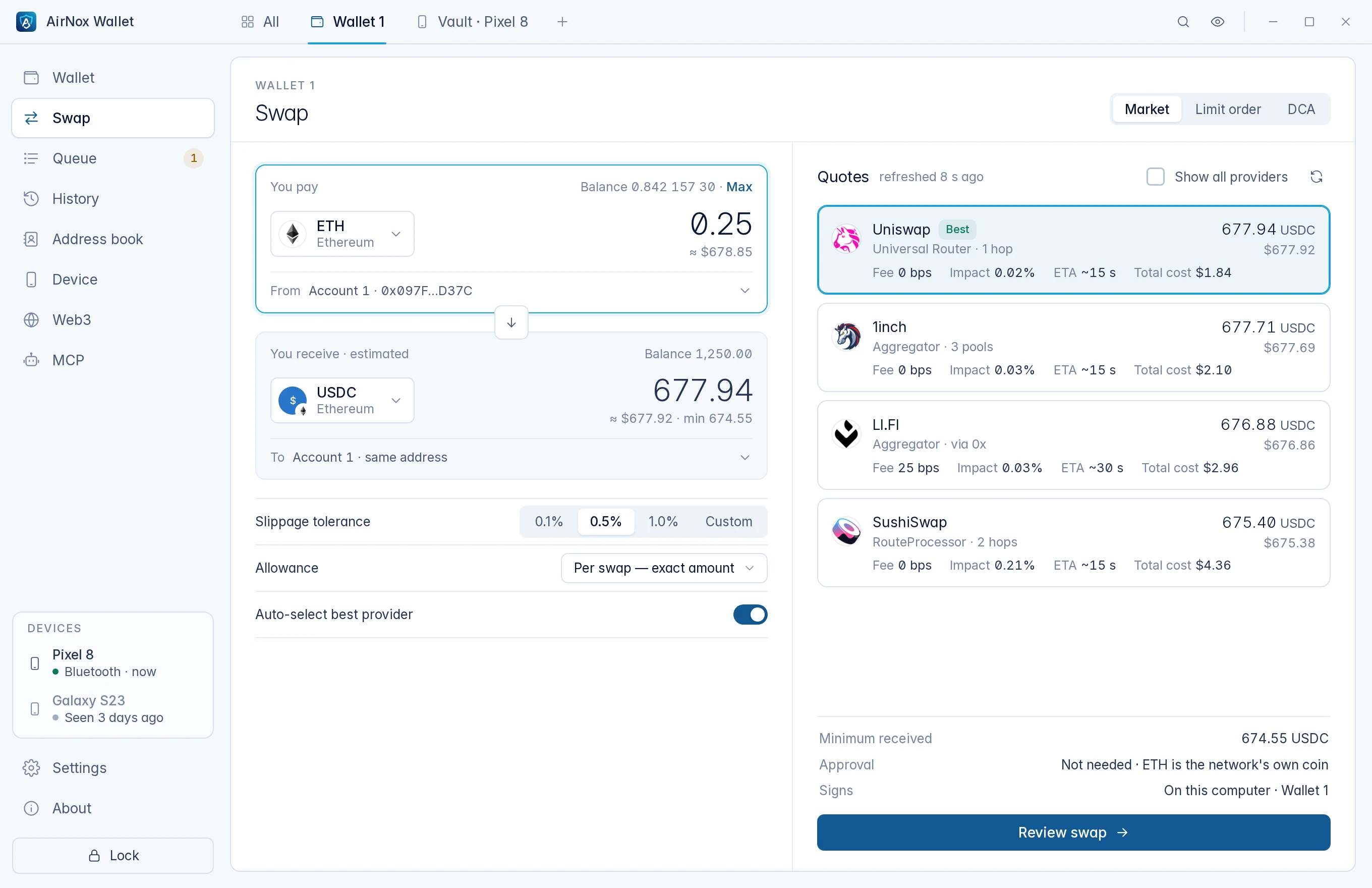
The swap screen: ETH to USDC on Ethereum, with quotes from four providers ranked best first.
Swaps with ranked quotes
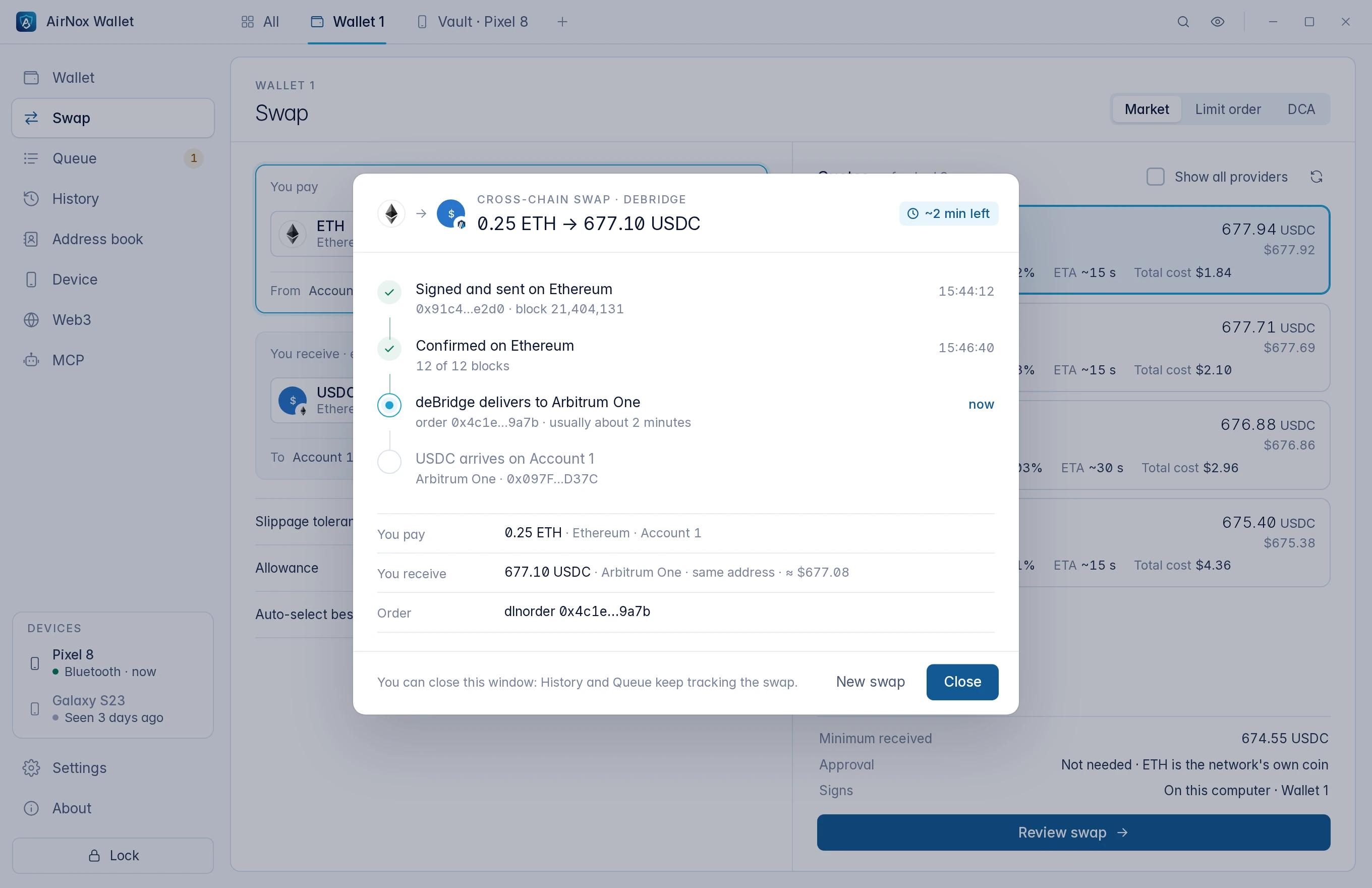
A swap from Ethereum to Arbitrum One in progress: signed, confirmed, crossing the bridge, then arriving.
A cross-chain swap, tracked

Join the waitlist

Leave your email and we will send release news. Nothing else.