
AIR-GAPPED SELF CUSTODY
The keys are on a phone you already own.
AirNox Wallet is a native desktop wallet that assumes your computer is compromised. AirNox Vault turns an Android phone you already have into an offline signer.
Open-source signer · no telemetry · Windows, Linux, macOS, Raspberry Pi
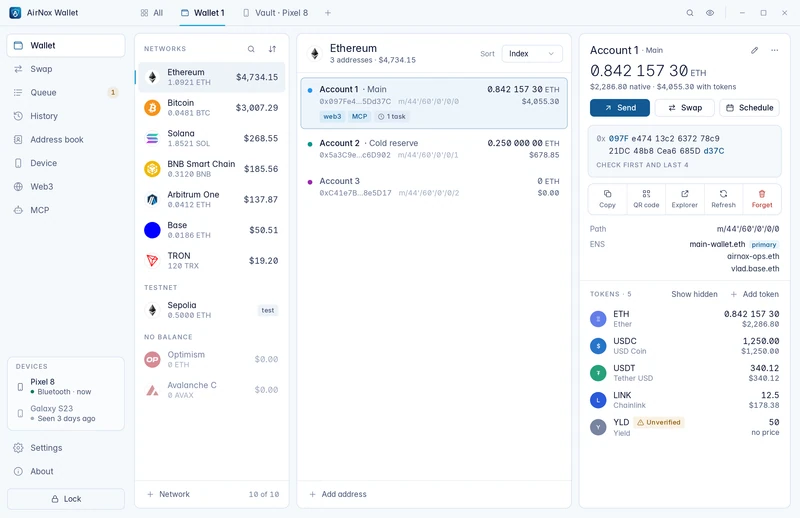
Security
Assume the computer is compromised
Most thefts start on an ordinary computer, not in the cryptography. AirNox is designed on the assumption that yours is already lost.
Built for a computer that is already compromised- The usual setup
A classic extension wallet
It runs inside the most exposed program on the computer. Its secrets are sealed with encryption that modern graphics cards brute-force at scale.
- Level 1
AirNox Wallet on the desktop
Native C++, with no script engine to inject into. The seed sits in memory only while needed, every request is decoded and screened, and stored secrets are sealed with Argon2id and the TPM 2.0 chip.
- Level 2, AirGap
AirNox Vault on a phone
The seed moves to an offline phone. An attacker who owns the whole operating system finds nothing on the computer to copy.
How AirGap works
Signing a transaction in AirGap mode
Most thefts do not break cryptography. They start on an ordinary computer. So the key does not live there.
Pair once
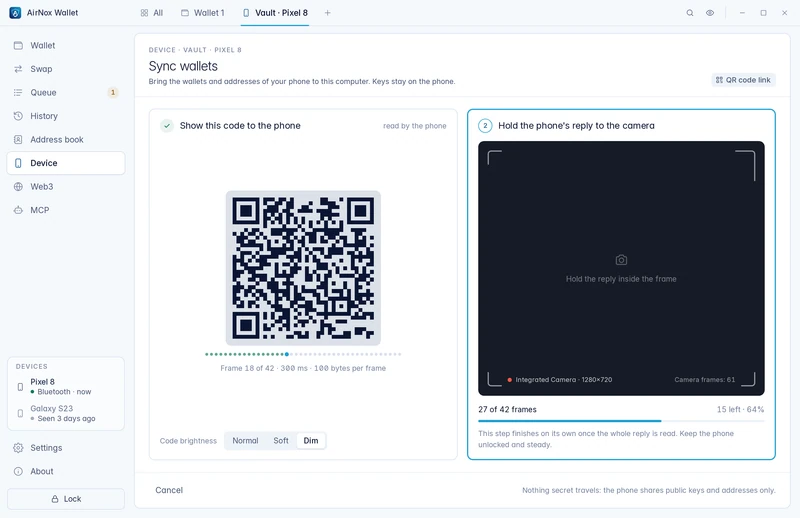
Scan a QR code on the desktop with the phone and compare a short code on both screens.
Desktop and phone-
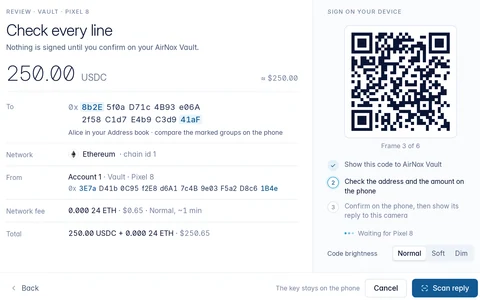
The desktop prepares
OnlineIt builds the unsigned transaction, decodes it and screens it for look-alikes, allowances and unknown spenders.
-
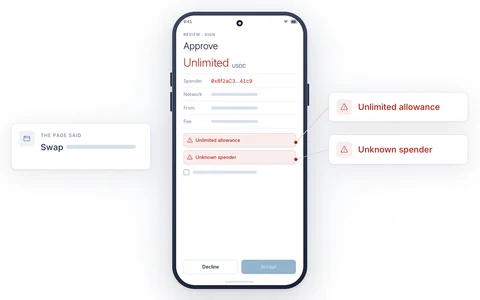
The phone decodes again
OfflineFrom the exact bytes it will sign, shown in plain words. You read it and press Accept, or you do not.
-
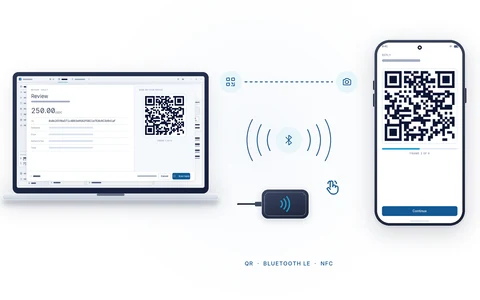
Only the signature returns
Back onlineOver QR, Bluetooth LE or NFC. The desktop broadcasts it. No key ever crossed the gap.
The transport is never trusted
Three ways across the gap
QR codes for the strict air gap, Bluetooth LE for the desk, NFC for a tap. The same encrypted, authenticated session runs over all three.
-
QR codes
- arm's length
- two scans
- first pairing, strict air gap
-
Bluetooth LE
- the desk
- read, press Accept
- daily use, dApp sessions
-
NFC
- a few centimetres
- tap, press Accept
- terminals, kiosks
NFC needs a small USB reader on the desktop; QR codes and Bluetooth LE need nothing.
What is inside
Twelve decisions that keep the key out of reach
Mass Adoption Security
No device to buy, no box that says "crypto", no customer list with your address.
A journal the desktop cannot touch
The phone keeps a durable, encrypted record of every signature, refusal, pairing, wallet change and lockout.
A vault that resists guessing
The desktop profile is sealed with memory-hard Argon2id, calibrated to your machine so that a guess costs about a second and a lot of memory, and anchored in the TPM 2.0 chip.
dApps without a browser wallet
The extension speaks the standard interfaces and holds no keys.
An MCP server with rules
AI agents read and act under a policy you set: which wallets, which operations, fiat limits per hour, day and total, and an audit log.
One protected wallet for all of it
Bitcoin, EVM networks, TRON, TON, Solana, Sui and custom networks.
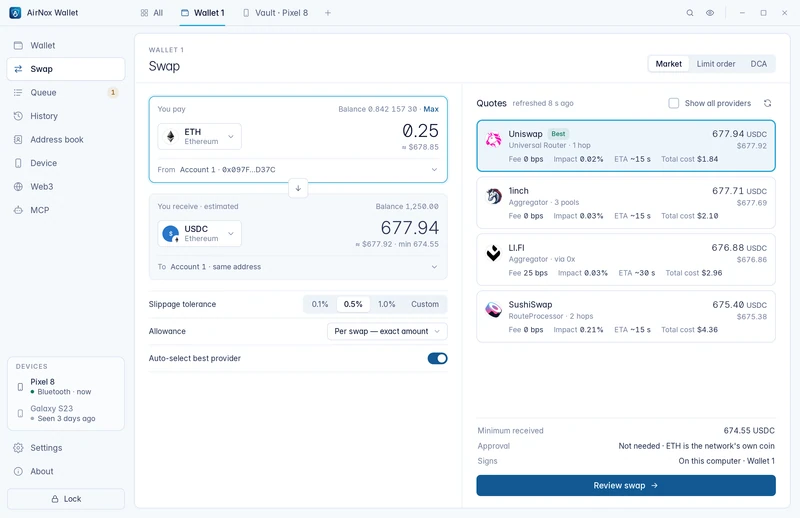
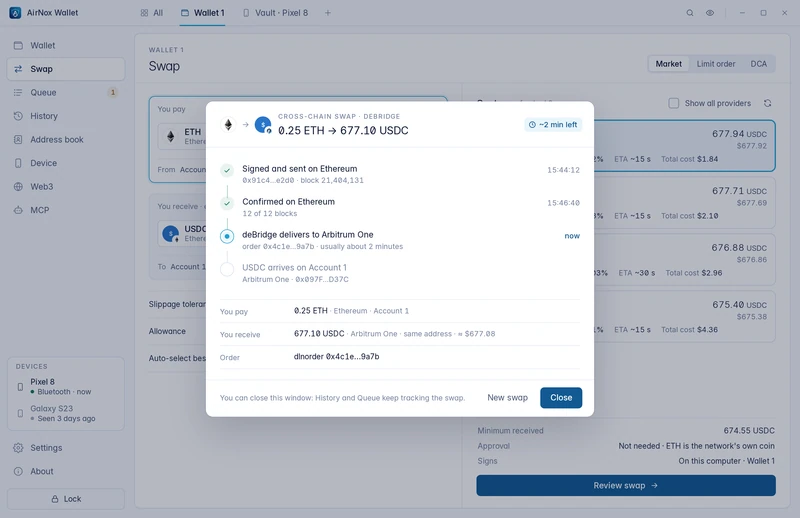
The app
What it looks like
Questions
Short answers
What if my computer is already infected?
That is the design assumption. The desktop never holds a key that can move your funds in AirGap mode. Malware can see your addresses and can try to feed you a bad request, which the phone will decode and show you as it really is.
Do I have to use AirGap?
No. AirNox Wallet works as a complete native desktop wallet on its own. The seed is sealed by memory-hard Argon2id and the TPM 2.0 chip and kept in memory only while needed. The wallet watches its processes and loaded libraries, screens every request, guards the clipboard against swapped addresses, stays out of screen captures and carries no trackers. That is a sound setup for frequent operations. AirGap is the ultimate layer for the funds that matter most, and both kinds of wallet live in the same window.
Do I need to buy anything?
No. Any Android phone with a hardware-backed keystore works, including an old one from a drawer. Reset it, take the SIM out, and copy the APK onto it over a cable: build it yourself, or take our signed APK from us or an app marketplace and check its signature. Never put the phone online. NFC needs a small USB reader on the desktop; QR codes and Bluetooth LE need nothing.
Does the wallet phone home?
No. There is no telemetry, no analytics and no third-party scripts. The wallet talks to blockchain nodes (yours, if you prefer) and to the swap and bridge providers you choose to use.
Join the waitlist
Leave your email and we will send release news. Nothing else.